- -10%


15 days to change your mind


Mon-Fri 09:00-17:00

+31613071127

what other customers say about us

Our team is always ready to support you.

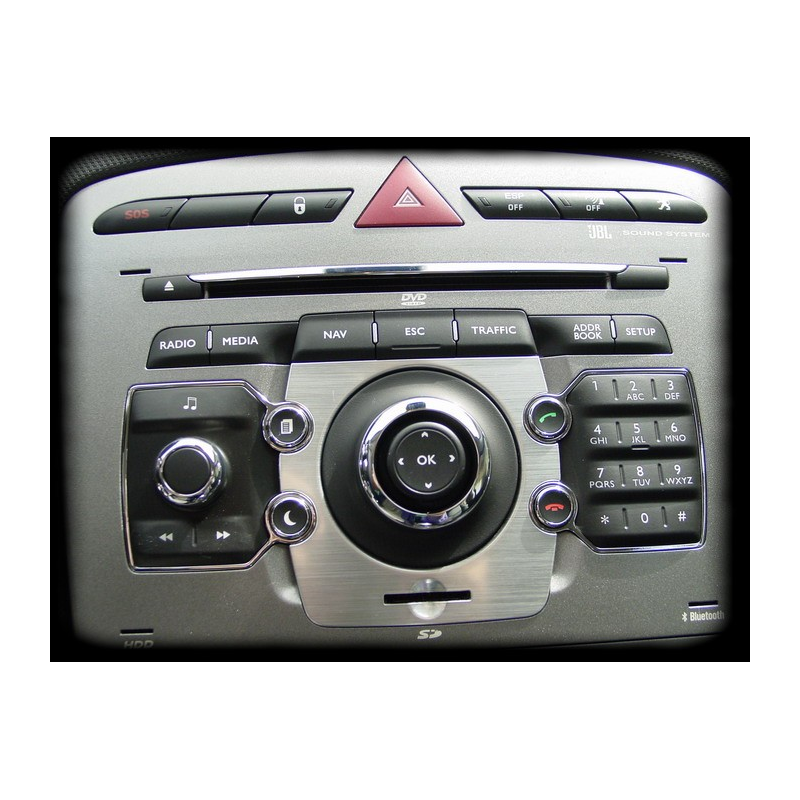
The firmware and map update are suitable for Peugeot/Citroën WIP COM 3D / NG4 navigation systems.
The package consists of:
1. Firmware update 42C USB/SD CARD
2. Navigation update 2025-1 USB/SD CARD
Compatibility:
3008 2008 - 2014 WIP COM 3D / CONNECT COM 3D
308 2008 - 2013 WIP COM 3D / CONNECT COM 3D
5008 2008 - 2012 WIP COM 3D
5008 2013 - 2014 WIP COM 3D / CONNECT COM 3D
RCZ 2009 - 2014 WIP COM 3D / CONNECT COM 3D
Coverage:
Albania, Austria, Belarus, Belgium, Bosnia and Herzegovina, Bulgaria, Croatia, Czech Republic, Denmark, Estonia, Finland, France, Germany, Greece, Hungary, Ireland, Italy, Kosovo, Latvia, Lithuania, Luxembourg, North Macedonia (FYROM), Moldova, Montenegro, Netherlands, Norway, Poland, Portugal, Romania, Serbia, Slovakia, Slovenia, Spain, Sweden, Switzerland, Ukraine, United Kingdom
Installing USB Firmware
Installing USB Cards
Update process
Error handling
If a type 0x26E error appears, simply press " OK ". The system will automatically restart (be careful not to remove the stick or SD card) and continue with the update.
Final choice
As soon as the update is complete, a confirmation message will appear. Press " OK " and remove the USB stick or SD card. The system will restart.
To check if the update has been performed correctly, press the " Setup " button on the front panel, then select " Device details " and finally " Card versions ". The installed version should now be displayed.
The firmware and map update are suitable for Peugeot/Citroën WIP COM 3D / NG4 navigation systems.
The package consists of:
1. Firmware update 42C USB/SD CARD
2. Navigation update 2025-1 USB/SD CARD