- -10%


15 days to change your mind


Mon-Fri 09:00-17:00

+31613071127

what other customers say about us

Our team is always ready to support you.

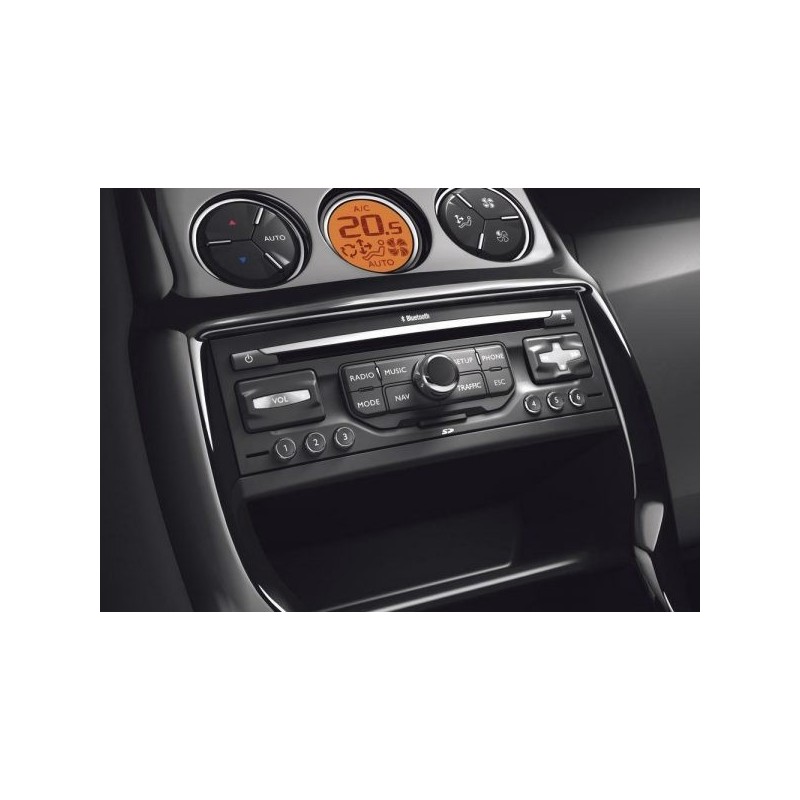
This navigation update is suitable for Peugeot and Citroën with the MyWay / Wip Nav RNEG navigation system .
Version: Europe 2026 + Speed Cameras
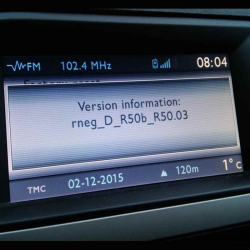
Check firmware version
Press and hold the SETUP button for approximately 5 seconds until the system menu appears. Then check the installed firmware version.
PLEASE NOTE: Does your RNEG system have a software version lower than R30 ? Then you must first update the firmware before the Europa 2026 navigation map can be used. In that case, order the complete Europa 2026 + Firmware R50 package .
MAKE A CHOICE : SD CARD ( Plug & Play) OR DOWNLOAD + INSTRUCTIONS
Update your Peugeot or Citroën MyWay / Wip Nav RNEG navigation system with the latest available Europe 2026 navigation maps , including speed cameras.
✓ Europe 2026 navigation maps
✓ Includes speed cameras / high-risk zones
✓ Delivered on SD card
✓ Plug & Play
✓ No activation code needed
✓ Easy to install yourself
Important: always check whether your vehicle is actually equipped with the MyWay / Wip Nav RNEG system . The year of manufacture alone is not sufficient to determine compatibility.
Does the navigation system display 'no card found' after inserting the SD card? Then perform a system reset:
After the reset, the navigation system restarts.
You might also like
This navigation update is suitable for Peugeot and Citroën with the MyWay / Wip Nav RNEG navigation system .
Version: Europe 2026 + Speed Cameras
Check firmware version
Press and hold the SETUP button for approximately 5 seconds until the system menu appears. Then check the installed firmware version.
PLEASE NOTE: Does your RNEG system have a software version lower than R30 ? Then you must first update the firmware before the Europa 2026 navigation map can be used. In that case, order the complete Europa 2026 + Firmware R50 package .
MAKE A CHOICE : SD CARD ( Plug & Play) OR DOWNLOAD + INSTRUCTIONS